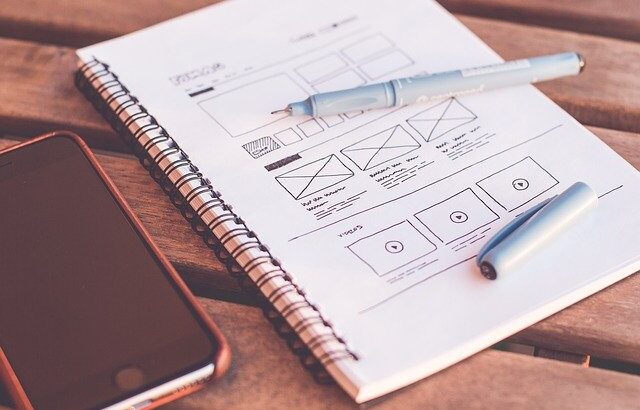
Freshers who are looking for a career in designing gets confused in choosing the correct sub-domain in designing. Yes, once you decide you want to be a designer, you have these options in front of you.
Before knowing these sub domains, ask yourself if you are good at imagining something or drawing something which is already imagined by someone.
Design is not just random combinations of colors, fonts and icons; trust me the ocean is deeper than you think. Before going deep into web, graphic, vector, UI or UX, let me tell you something generic about all kinds of designs. Not only digital designs, but print media, interior design, or any electronic / automobile product design. If you collect everything under an umbrella, design is SOLVING PROBLEMS and not DRAWING PICTURES.
Web designing:
Building web pages using HTML, CSS and JavaScript for websites / web apps is Web designing. The structure of a web page is built using HTML elements. Styling of that web page is designed using CSS. Web page is made interactive using a programming language JavaScript. In a collection these are web designing technologies. There are CSS and JS libraries like Bootstrap which make web page designing easier.
Graphic designing:
Solving problems through a creative craft which can be a combination of Images, Icons, Typography. Graphics design is a promising way of communicating your message. As they say ‘a picture is worth a thousand words’. There are a number of tools available for graphics designing, beginners or non designers can use ‘Canva’ for graphic designing. Professional graphic designers uses Adobe Photoshop, Adobe After Effects, Adobe Illustrator, CorelDraw.
Vector designing:
Vector designing is a kind of graphic design but it is not pixel based as the name says it is vector based. There are some advantages of vector designing over pixel based designing like you can resize your design without affecting the quality of the graphic, You’re design can have a set of specific colors and fonts. There are different requirements for vector based designs, in layman’s language animated images can be considered as vector designing.
UI & UX designing:
User Interface is what an user sees while looking at the design and User Experience is what an user feels while using the design. A good UI and UX can make your design achieve the goals you set for your design by giving the user a proper look and feel through design. When a user visits your project, the designer or business owner is not there to help or guide him on what action he needs to take, it’s the design which speaks on their behalf.
For me User interface and User experience is more of a strategy. And a strategy is nothing but planning your UI and UX before starting the design. This article can help you in ‘Planning UX for your project’.
If you can imagine somethig which based on someones requirements, you can choose a career in UI, UX design. If you want to work with HTML and CSS to convert a mockup to a web page you should focus on Web designing. And if working with creative image is your cup of tea, go with Graphic Designing.
That’s a great article!